Tome AI vs DrawPPT: Which AI PPT Tool is Right for You?
An in-depth comparison of two popular AI presentation tools covering features, pricing, and user experience. If you're looking for a Tome AI alternative, this guide will help you decide.
Quick Verdict
Tome AI suits English users for quick storytelling presentations; DrawPPT AI is better for users needing PPTX export, perfect CJK rendering, and better value.
DrawPPT Team
Jan 2025 · 12 min read
In the AI presentation tool market, Tome AI and DrawPPT AI are two notable choices. Tome is known for its modern interface and storytelling capabilities, while DrawPPT stands out with perfect CJK rendering and PPTX export. This article compares both tools across multiple dimensions to help you find the best AI PPT generator for your needs.
What is Tome AI?
Tome is an AI-powered presentation tool known for its sleek interface and storytelling capabilities. It generates visually appealing presentations from simple prompts, ideal for users needing quick business proposals or creative showcases.
Pros
- Modern and beautiful interface
- Fast AI generation
- Unique storytelling mode
- Real-time collaboration
- Integration with Figma and other tools
Cons
- No PPTX export support
- Average CJK text rendering
- Very limited free credits
- Relatively expensive
- Templates lean toward Western aesthetics
- Limited offline use
Pricing: Limited free credits / $16-20/mo · Visit website
What is DrawPPT AI?
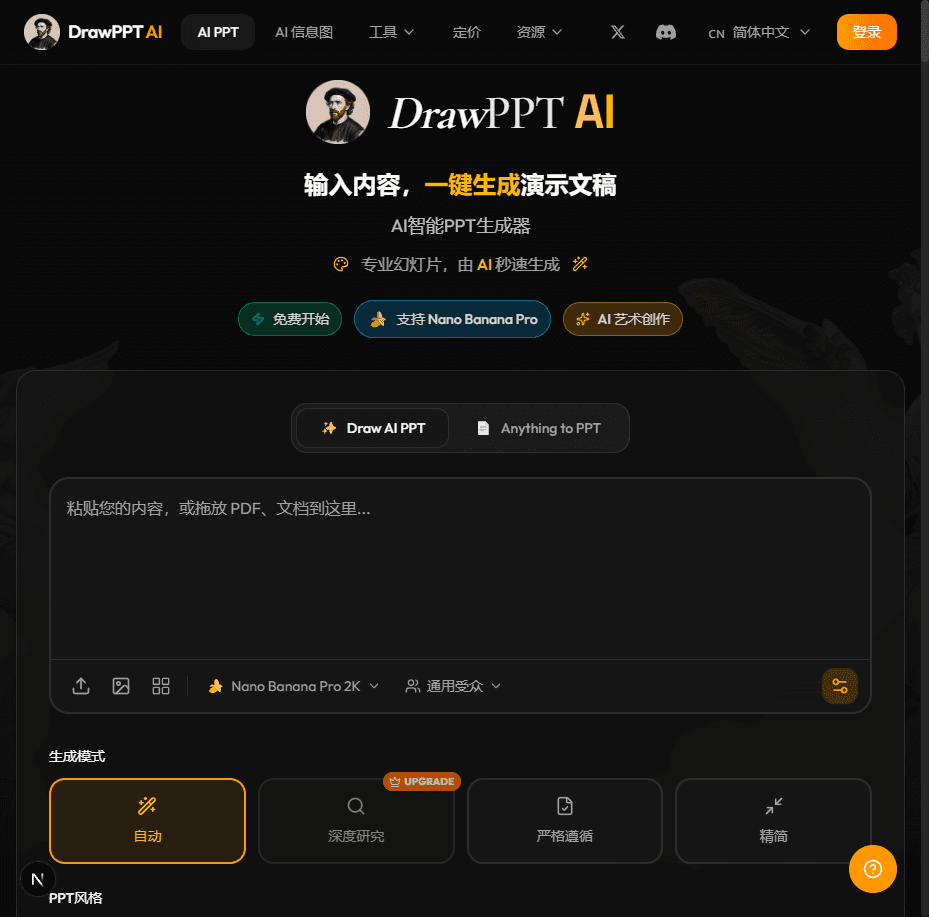
DrawPPT AI is an AI presentation generator designed with Asian users in mind. It uses the Nano Banana Pro engine for perfect CJK text rendering, offers 20+ unique artistic styles, and supports exporting truly editable PPTX files. Credits never expire, offering excellent value.
Pros
- PPTX export support
- Perfect CJK text rendering
- 20+ unique artistic styles
- Credits never expire
- Affordable pricing
- Deep web research mode
- Supports PDF/URL/image input
Cons
- Newer product with smaller user base
- Real-time collaboration in development
Pricing: Free 40 credits / $4.99+ · Visit website
Detailed Feature Comparison
Below is a detailed comparison of Tome AI and DrawPPT AI features. Green means supported, red means not supported, yellow means partial support.
| Feature | Tome AI | DrawPPT AI |
|---|---|---|
| AI Generation | ||
| AI Outline Generation | ||
| AI Image Generation | ||
| Deep Research Mode | ||
| Document Understanding | ||
| Export Formats | ||
| PPTX Export | ||
| PDF Export | ||
| Image Export | ||
| Language Support | ||
| Chinese Rendering | ||
| Japanese Rendering | ||
| Korean Rendering | ||
| Multi-language UI | ||
| Design & Templates | ||
| Artistic Styles | ||
| Custom Branding | ||
| Style Consistency | ||
| Pricing & Credits | ||
| Free Credits | ||
| Credits Never Expire | ||
| Value for Money | ||
Use Case Recommendations
Based on different use cases, here are our recommendations:
Business Proposals
Need to export PPTX for meeting presentations, DrawPPT supports truly editable PPTX export
Creative Storytelling
Tome's storytelling mode and fluid interface suits creative content
Chinese Presentations
DrawPPT uses Nano Banana Pro engine for perfect Chinese rendering without garbled text
Academic Reports
Deep research mode auto-finds materials, supports PDF and URL input
Team Real-time Collaboration
Tome supports real-time multi-user collaborative editing
Budget Conscious
DrawPPT offers 40 free credits, paid plans from $4.99, credits never expire
Verdict: How to Choose?
Both Tome AI and DrawPPT AI have their strengths. Your choice depends on your specific needs:
Choose Tome AI if you:
- • Primarily create content in English
- • Need real-time team collaboration
- • Want a fluid storytelling experience
- • Don't need PPTX export
Choose DrawPPT AI if you:
- • Need editable PPTX file export
- • Create content in Chinese, Japanese, or Korean
- • Want better value for money
- • Need multiple artistic style options
- • Want credits that never expire
For most Asian users, DrawPPT AI is the better choice - not only is it more affordable, but more importantly, it perfectly solves CJK rendering issues and supports exporting truly editable PPTX files.
Frequently Asked Questions
Can Tome AI export PPTX files?
No. Tome AI currently only supports PDF and image exports, not editable PPTX files. If you need to edit presentations in PowerPoint or WPS, consider DrawPPT AI instead.
How is DrawPPT AI's Chinese text rendering?
DrawPPT AI uses the Nano Banana Pro engine, specifically optimized for CJK text, delivering perfect rendering without garbled characters. This is one of its core advantages over other AI PPT tools.
How do the prices compare?
Tome AI's paid plans start at $16/month with limited free credits. DrawPPT AI offers 40 free credits, paid plans from just $4.99, and credits never expire - offering better value.
Which tool is better for Asian users?
DrawPPT AI is better for Asian users. It supports 7 language interfaces, offers perfect CJK text rendering, and design styles that align with Asian aesthetics. Tome AI primarily targets English users with relatively weaker CJK support.
What are Tome AI's unique advantages?
Tome AI excels in: fluid interface design, unique storytelling mode, real-time collaboration, and integration with design tools like Figma. Ideal for users who need quick creative presentations with team collaboration.
What input methods does DrawPPT AI support?
DrawPPT AI supports multiple input methods: text descriptions, PDF documents, web links, and image uploads. It also has a deep research mode that automatically searches the web for relevant materials to enrich presentation content.
Try DrawPPT AI Now
Sign up free for 40 credits. Experience perfect CJK rendering and 20+ artistic styles. PPTX export supported, credits never expire.
Start Free →